Your agent works.
Now keep it running.
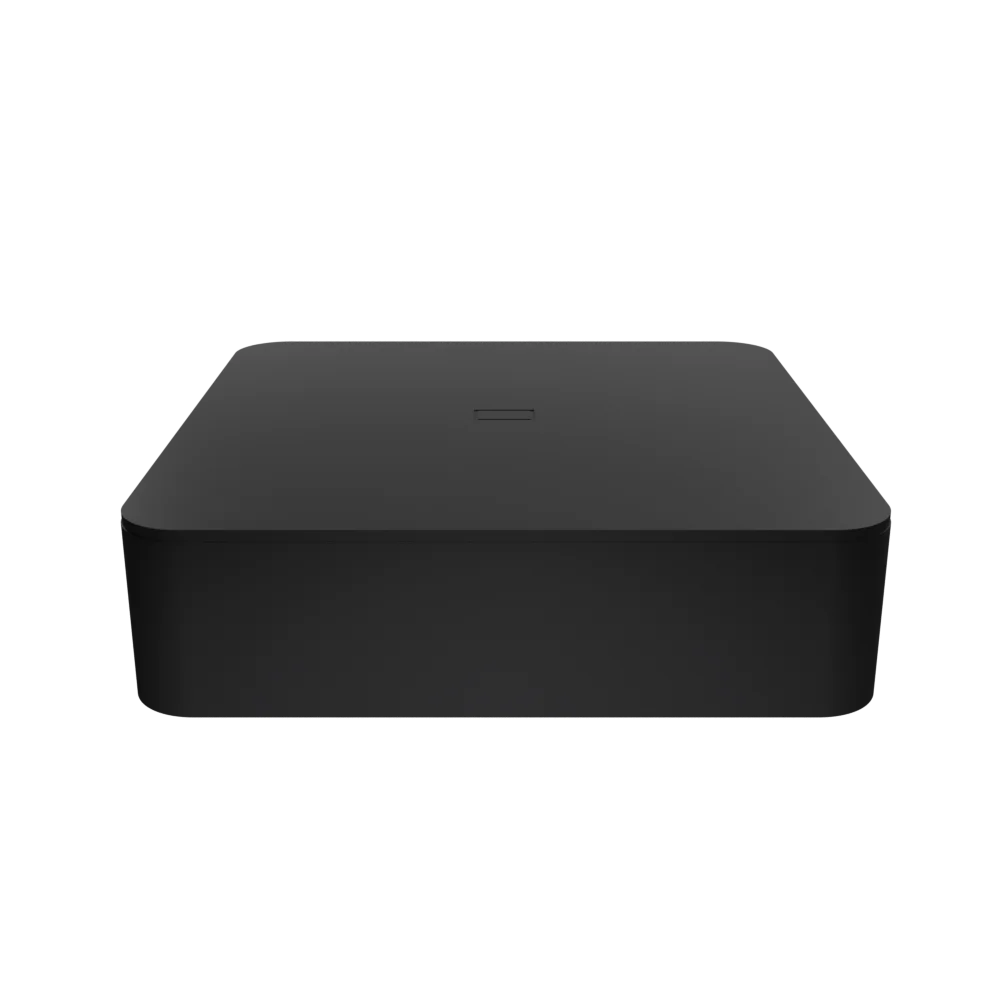
A purpose-built device for OpenClaw. Deploy and mange agents from any device, no terminal required.
Intro pricing. Limited first run.
Always-on agents shouldn't require a $599 computer and a weekend of terminal setup.
Now they don't.
The Brick
Purpose built for agents.
Pre-flashed with OpenClaw, paired from your phone. Get your first agent running in under a minute.
Tap to pair
No keyboard, no terminal, no install. The Brick ships with OpenClaw ready. Just plug it in and tap your phone to connect.
Setup in minutes
Use the app to set up a new OpenClaw agent with over 200 pre-built connections, or upload an existing config.
Manage from anywhere
Monitor all your agents and automations in one place. Approve actions, catch errors, and keep your agents working.
brickOS
Ditch the terminal.
Not Telegram. Not Slack. A fully featured two-way channel between you and your agents — push notifications when something needs attention, approval requests before sensitive actions, and a full conversation history. Set up by default. Nothing to configure.
200+ integrations.
Tap to connect.
Connecting an agent to Gmail or Google Calendar on raw OpenClaw means installing a CLI, creating an OAuth app, generating a client ID, and handling token refresh yourself. brickOS does all of that in the background. You just tap, authenticate, and it works.
Observability
in your pocket.
Agents break all the time and you usually have no idea. An auth token expired, an API hit a rate limit, a process quietly crashed — brickOS surfaces all of it in real time so you know what's actually running and what needs your attention.
Exec Assistant
AI Agent · Online
Hey, we still need to respond to Robert on the RFP. Are you good to send with the draft I proposed?
Draft Reply · RFP
Hi Robert, thanks for sending this over...
Yep, send it.
Sent to Robert
Hey what's my schedule this week? Looking to do an in-person in LA on Wednesday afternoon.
I can move your standing 3:00 PM that day — should work. Want me to block travel time too?
Move Wednesday 3:00 PM to make room for LA.
Add connectors
Gmail
Draft replies, search your inbox, and summarize email threads
Google Calendar
Understand your schedule, manage events, and optimize your time
Slack
Send messages, search channels, and surface key conversations
Google Drive
Access your files, search instantly, and attach docs to any task
Notion
Read and write pages, search your workspace, and sync notes
GitHub
Manage repositories, track code changes, and triage issues
Linear
Create and update issues, manage sprints, and track project status
Agent
Exec Assistant
System Prompt
You are a proactive executive assistant. Monitor communications, manage calendar conflicts, draft responses, and surface anything time-sensitive…
Tap to edit
Automation
4 actions · no issues
3 actions · no issues
1 warning
289 emails processed
Re: Q2 Budget Review
invoice_march.pdf · retrying
Moved 3:00 PM · LA conflict
5 actions · no issues
3 actions · no issues
4 actions · no issues
vs a $599 Mac Mini + a weekend of your life
Always on.
Always working.
FAQ
Tools like ChatGPT and Claude are great for back-and-forth conversations, but they're not built to act as long-lived workers — they don't run in the background, hold a role, or take action while you're asleep. OpenClaw is the leading open-source framework for always-on agents that actually do. The catch is that OpenClaw needs a computer to run on. You can run it on your laptop, but your agent dies when you close the lid. You can spin up a cloud VM, but cloud IPs get blocked on most of the sites that matter — LinkedIn, Reddit, Instagram — because they look like bots. The market has largely landed on dedicated headless computers as the right answer: always on, on your home network, browsing like a real person. The problem is that setting one up is still genuinely hard if you've never touched a terminal. That's what the Brick solves.
A small dedicated computer — about the size of a deck of cards — built to run AI agents 24/7. It ships pre-flashed with OpenClaw, all the standard CLIs, and a hardened security setup out of the box. Under the hood it's 8GB RAM, 128GB SSD, an NFC chip for phone pairing, running Linux. The key thing it's not is an LLM inference box — your agents use cloud models, but they act from the Brick's own local browser session. That means they access the internet exactly like a person would, and they don't get blocked by sites like LinkedIn, Reddit, or Instagram the way cloud-based AI workers routinely do.
You can use a Brick exactly like a Mac mini if you want — it's a real Linux computer and nothing is locked down. The difference is what you get out of the box. A Mac mini ships as a general-purpose desktop: you're installing OpenClaw yourself, hardening the security config, wiring up CLIs, and when something breaks you're debugging via a monitor or a Telegram bot you hacked together. The Brick ships purpose-built: OpenClaw pre-installed and pre-configured, NFC pairing, a proper management app, all at half the price. If you want to do the Mac mini setup, you can do it on a Brick too — you'd just be ignoring everything we already did for you.
Yes. Upload your existing config through the app and it runs as-is. You can also build new agents from scratch in brickOS without touching a terminal — either way works.
A single Brick is well-suited for a small business — think exec assistant, biz dev, ops, finance monitoring. 5–10 agents running concurrently is a reasonable target. If you need more scale, you can connect multiple Bricks under one account and manage them together from the same app.
Not at all. The Brick is a Linux box running OpenClaw — if you want to SSH in, use the OpenClaw CLI directly, and manage everything yourself, that works exactly as it would on any other machine. The app is a service layer we built on top of OpenClaw to make the 90% case easier: the integrations are a pre-built library of common connectors so you skip the OAuth setup and trial-and-error; the messaging is just an OpenClaw channel (you can still connect Telegram, Slack, or anything else you prefer); and the observability dashboard is a UI wrapper around the OpenClaw CLI output. Everything in the app is just OpenClaw underneath — you can use the app for some things and the CLI for others, or ignore the app entirely. We built it because most people don't want to live in a terminal. If you do, nothing stops you.
Your files, credentials, and browser sessions stay on the Brick. They never touch our servers. The outbound traffic is whatever your agents do themselves — API calls, web browsing, emails sent — same as if you were doing it manually. Because agents run from a real local browser on your network, they're also not identifiable as cloud bots, which matters more than most people expect.
$299 gets you the hardware, forever. No subscription, no strings. The app is optional — it's a service layer built to make everything easier, and we charge based on usage. Right now we pass through LLM costs at 0% markup, so you pay exactly what you'd pay the provider directly. If you'd rather manage your own API keys, bring them and pay a flat $29/month for app access instead. Or skip the app entirely and use the Brick like any other Linux machine — the hardware is yours either way.
First production run. Limited time pricing.
Lock in your Brick today.